
Running a successful WooCommerce store involves much more than adding products and waiting for customers to make purchases. To grow an online business, store owners need to provide a convenient shopping experience, make products easier to discover, simplify the checkout process, and encourage customers to return for future purchases. The right combination of WooCommerce plugins can help accomplish these goals without requiring complicated custom development.
In this guide, we have selected seven useful WooCommerce plugins that cover different aspects of online store growth. Whether you want to generate orders before products are released, help shoppers save their favorite items, make repeat purchases easier, accept payments efficiently, or improve your store’s visibility in search engines and AI-powered platforms, these plugins offer practical solutions for building a more effective eCommerce business.
#1. Pre-Orders for WooCommerce
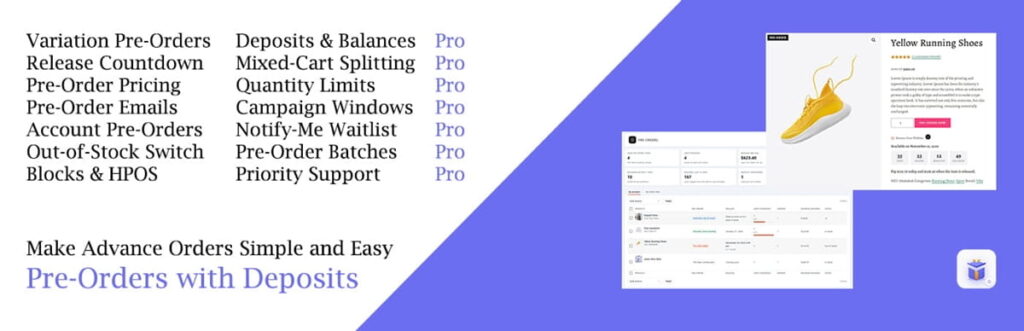
Pre-Orders for WooCommerce is a useful solution for store owners who want to start accepting orders before products become available. Instead of making customers wait until a product is officially released, you can allow them to reserve items in advance and generate sales earlier.
The plugin allows you to enable pre-orders for individual products and variations, set release dates, customize pre-order prices, and display countdown timers that inform shoppers when products will become available. Customers can also follow their reservations through their WooCommerce accounts, while administrators can manage upcoming releases and pre-order orders directly from the dashboard.
Another valuable advantage is the ability to handle sold-out products. You can automatically make out-of-stock products available for pre-order, helping you maintain customer interest even when inventory is temporarily unavailable. With its order management and notification options, the plugin makes it easier to organize the entire pre-order process.
7 Best Features:
- Pre-Orders for Products and Variations – Enable pre-orders for individual products or specific variations.
- Custom Pre-Order Pricing – Set special prices for products available for pre-order.
- Release Date and Countdown – Display product availability dates and countdown timers.
- Automatic Sold-Out Pre-Orders – Allow customers to order products that are out of stock.
- Pre-Order Email Notifications – Keep customers informed about confirmations, releases, and date changes.
- Dedicated Pre-Order Management – Manage reservations and upcoming releases from your dashboard.
- Customer Pre-Order Accounts – Let shoppers view their reservations and release dates from My Account.
2. Wishlist for WooCommerce & Quick View
Best for: Improving product discovery and encouraging purchases
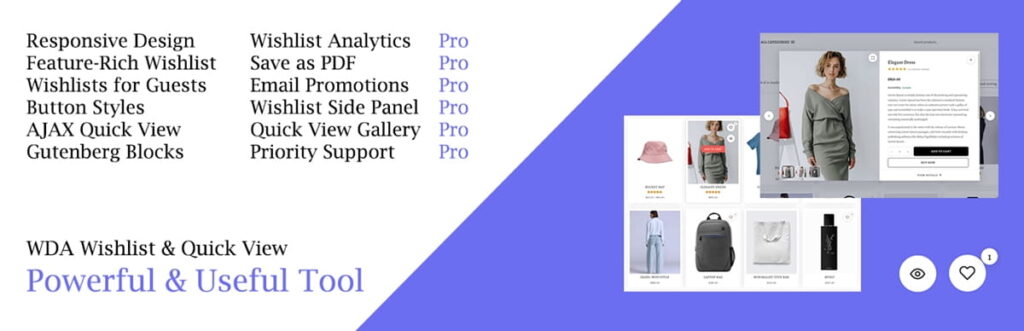
Not every visitor is ready to purchase a product during their first visit. Some shoppers prefer to save interesting products, compare different options, and return later when they are ready to buy. Wishlist for WooCommerce & Product Quick View combines two useful shopping features that make this process easier.
The wishlist functionality allows customers to save products they are interested in without immediately adding them to their shopping carts. They can create a personal collection of favorite products, share their lists with others, and return whenever they want to complete their purchases. Guest visitors can also use wishlists without creating an account, making the feature accessible to more shoppers.
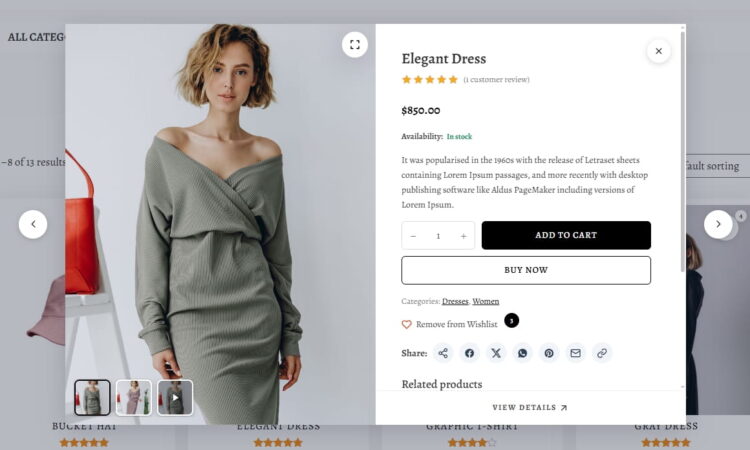
The Quick View functionality provides another way to improve the shopping experience. Customers can open product details in a popup without navigating away from the current page. They can explore product images, descriptions, prices, ratings, and available variations, and add products to their carts directly from the popup.
By combining these features in one plugin, store owners can make browsing more convenient and give potential customers additional reasons to return and complete their purchases.
7 Best Features:
- WooCommerce Wishlist – Allow customers to save their favorite products for later.
- Guest Wishlists – Let visitors create wishlists without registering an account.
- Wishlist Sharing – Share saved products through social networks, email, or direct links.
- Quick View Popup – Display product information without opening a separate page.
- Product Variation Support – Let shoppers select product variations directly inside Quick View.
- Add to Cart from Quick View – Allow customers to purchase products without leaving the popup.
- Wishlist and Quick View Customization – Adjust button styles, icons, colors, and popup appearance.
3. Duplicate Orders for WooCommerce
Best for: Encouraging repeat purchases and simplifying order management
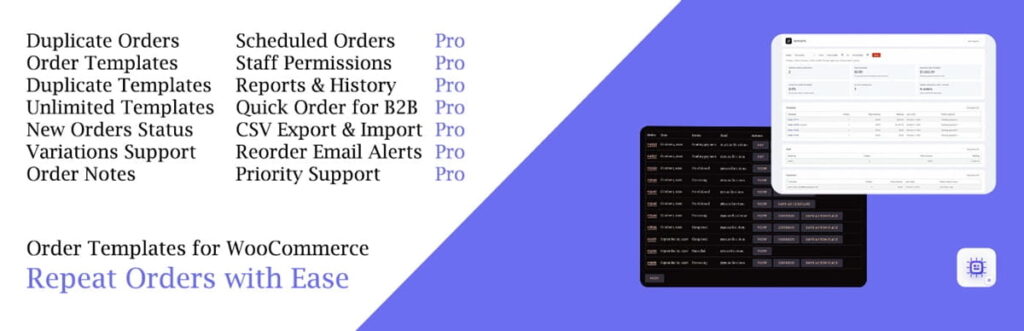
Repeat customers are an important part of a sustainable eCommerce business. However, asking shoppers to find the same products and recreate their previous orders every time can make the purchasing process unnecessarily complicated. WpDevArt Duplicate & Repeat Orders for WooCommerce helps solve this problem by making existing orders reusable.
The WooCommerce Duplicate Orders plugin allows store administrators to duplicate previous orders, edit their contents, and save frequently used product combinations as order templates. This is particularly helpful for businesses that regularly receive similar orders from the same customers, including wholesale stores, B2B suppliers, and businesses selling products that customers purchase repeatedly.
With the Premium version, the functionality goes further by allowing customers to reorder products from their previous purchases, access saved templates, and receive reminders when it is time to order again. Store owners can also schedule recurring orders, offer repeat-order discounts, and provide a quick-order experience through the customer account area.
These features can reduce the effort required to place another order and help businesses build stronger relationships with returning customers.
7 Best Features:
- One-Click Order Duplication – Create a new order from an existing WooCommerce order.
- Reusable Order Templates – Save frequently ordered product combinations for future purchases.
- Customer Reorder Buttons – Let customers repeat previous purchases directly from their accounts.
- Scheduled Orders – Automatically create recurring orders at selected intervals.
- Reorder Reminder Emails – Remind customers when it may be time to purchase again.
- B2B Quick Orders – Make it easier for business customers to place repeat orders.
- Repeat-Order Discounts – Offer special discounts to encourage customers to purchase again.
4. WooPayments

Best for: Accepting payments and simplifying checkout
A smooth checkout experience is essential for every online store. If customers encounter unnecessary steps or limited payment options, they may decide not to complete their purchases. WooPayments is an integrated payment solution designed specifically for WooCommerce that allows businesses to accept payments and manage transactions directly from their WordPress dashboards.
With WooPayments, customers can pay using supported credit and debit cards without being redirected to a separate payment provider’s website. Depending on the store’s location and available payment methods, merchants can also offer additional payment options, including digital wallets and buy-now-pay-later services.
The plugin also simplifies payment administration. Store owners can review transaction details, process refunds, monitor payouts, and respond to disputes without constantly switching between different platforms.
For businesses that want to manage online payments and store operations in one place, WooPayments provides a convenient integration with the WooCommerce ecosystem.
7 Best Features:
- Credit and Debit Card Payments – Accept major supported payment cards directly in your store.
- Integrated Checkout – Let customers complete payments without leaving your website.
- Express Payment Options – Offer supported digital wallets and faster checkout methods.
- Buy Now, Pay Later – Provide eligible customers with supported installment payment options.
- Transaction Management – View and manage payments directly from WordPress.
- Refund Management – Review transactions and process eligible refunds from your dashboard.
- Payout and Dispute Tracking – Monitor payouts and manage payment disputes in one place.
5. WDA AI Schema & GEO for WooCommerce
Best for: Improving product visibility in search engines and AI-powered search
Online shopping discovery is evolving. In addition to traditional search engines, customers increasingly use AI-powered assistants and answer engines to research products, compare prices, and find relevant online stores. This creates new opportunities for WooCommerce businesses to improve how their product information is presented to these platforms.
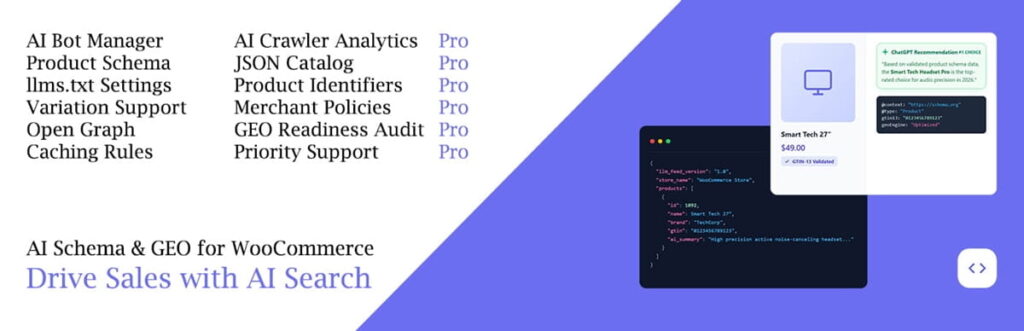
AI Schema & GEO for WooCommerce helps prepare your store’s product catalog for modern search and discovery systems through structured data and machine-readable catalog feeds.
The plugin enriches WooCommerce product schema with additional information, including product categories, brands, gallery images, attributes, and keywords. It also generates an llms.txt file that provides AI crawlers with a readable overview of your store’s product catalog. Additional functionality includes Open Graph metadata, OnlineStore structured data, and controls for different AI crawlers.
For store owners interested in improving their technical SEO and preparing their product catalogs for AI-powered discovery, this plugin offers a specialized set of optimization tools.
7 Best Features:
- Enhanced Product Schema – Add more structured information to WooCommerce product data.
- AI-Friendly llms.txt Feed – Generate a machine-readable overview of your product catalog.
- Product Open Graph Tags – Provide structured product information for link previews.
- OnlineStore Schema – Add structured information identifying your online store.
- AI Crawler Controls – Manage access for supported AI training and search crawlers.
- Product Catalog Optimization – Include categories, brands, attributes, images, and keywords in structured data.
- SEO Compatibility Checks – Identify potential schema conflicts and important configuration issues.
6. WooCommerce Analytics

Best for: Understanding sales performance and marketing results
Growing an online store requires more than simply increasing website traffic. Store owners also need to understand where their customers come from, which marketing channels generate orders, and which campaigns deliver the best results. WooCommerce Analytics helps businesses gain a clearer understanding of their store performance through order attribution reports.
The plugin provides insights into the sources of your sales, allowing you to analyze performance across different channels, traffic sources, devices, and marketing campaigns. Instead of relying only on general visitor statistics, you can use order attribution data to understand which sources are actually contributing to purchases.
These insights can help you make better marketing decisions. For example, you can identify which campaigns generate the most orders, compare different traffic sources, and focus your promotional efforts on channels that deliver better results.
For store owners who want to make decisions based on actual sales data rather than assumptions, WooCommerce Analytics is a valuable addition to their toolkit.
7 Best Features:
- Order Attribution Reports – Understand where your WooCommerce orders originate.
- Channel Performance Analysis – Compare sales generated by different marketing channels.
- Traffic Source Insights – Identify the sources bringing purchasing customers to your store.
- Device-Based Reporting – Analyze orders according to the devices customers use.
- Campaign Performance Tracking – Evaluate the contribution of different marketing campaigns.
- Customizable Date Ranges – Review performance over selected periods and compare results.
- Continuous Order Data Updates – Keep reports updated as new orders are processed.
7. Composite Products – Conditional Images

Best for: Improving the shopping experience for customizable products
Some WooCommerce stores sell products that customers can configure by selecting different components, materials, colors, or accessories. For these businesses, displaying a single static product image may not be enough to help shoppers understand what their final purchase will look like.
Composite Products – Conditional Images is a free extension for the official WooCommerce Composite Products plugin. It allows store owners to create dynamic product images that change according to the options selected by customers.
Using conditional image layers, businesses can display different visual elements over the main product image depending on the selected components and configuration rules. This makes it possible to create more informative product presentations without preparing a completely separate image for every possible combination.
For example, a store selling customizable furniture could use different image layers to show selected materials, colors, or design elements as customers configure their products. The same approach can be useful for personalized equipment, custom-built products, and other configurable items.
By making product configurations easier to visualize, the extension can help customers better understand what they are purchasing and make more confident buying decisions.
7 Best Features:
- Dynamic Product Images – Change product visuals according to selected options.
- Conditional Image Layers – Display additional images when specific conditions are met.
- Media Library Integration – Select overlay images from your WordPress Media Library.
- Scenario-Based Image Changes – Connect visual changes to Composite Products scenarios.
- Product Image Compositing – Combine multiple image layers into a single product presentation.
- Custom Product Configurations – Support different visual combinations for configurable products.
- Improved Product Visualization – Help shoppers understand how selected components affect the final product.
Important: This extension requires the official WooCommerce Composite Products plugin and a compatible theme that supports the wc-product-gallery-slider feature.
Conclusion: Choose the Right WooCommerce Plugins to Grow Your Store
Building a successful WooCommerce store requires attention to several important areas, from product presentation and customer experience to payments, search visibility, and order management. The plugins featured in this guide address different challenges that store owners face while trying to attract customers, increase conversions, and generate more sales.
If you regularly launch new products, a pre-order solution can help you start generating revenue before release dates. A wishlist and quick view plugin can make browsing more convenient, while repeat-order functionality can encourage existing customers to purchase again. Payment integrations help simplify transactions, and analytics tools provide useful information for making better business decisions. Meanwhile, structured data optimization and dynamic product images can improve how customers and search platforms interact with your product catalog.
You do not necessarily need to install every available WooCommerce extension to grow your business. The better approach is to identify the areas where your store needs improvement and choose plugins that solve those specific problems. With the right tools and a well-planned shopping experience, you can make your WooCommerce store more convenient for customers and build a stronger foundation for long-term growth.